Real Monero engine
Monero wallet code, compiled to WebAssembly via monero-ts, creates keys, scans blocks and signs transactions locally.
Version 2.4.0 · open source · MIT
A Monero wallet as a Chrome extension. Keys are created, encrypted and used for signing on your device. The real Monero engine runs locally in WebAssembly. No wallet accounts, analytics or telemetry.
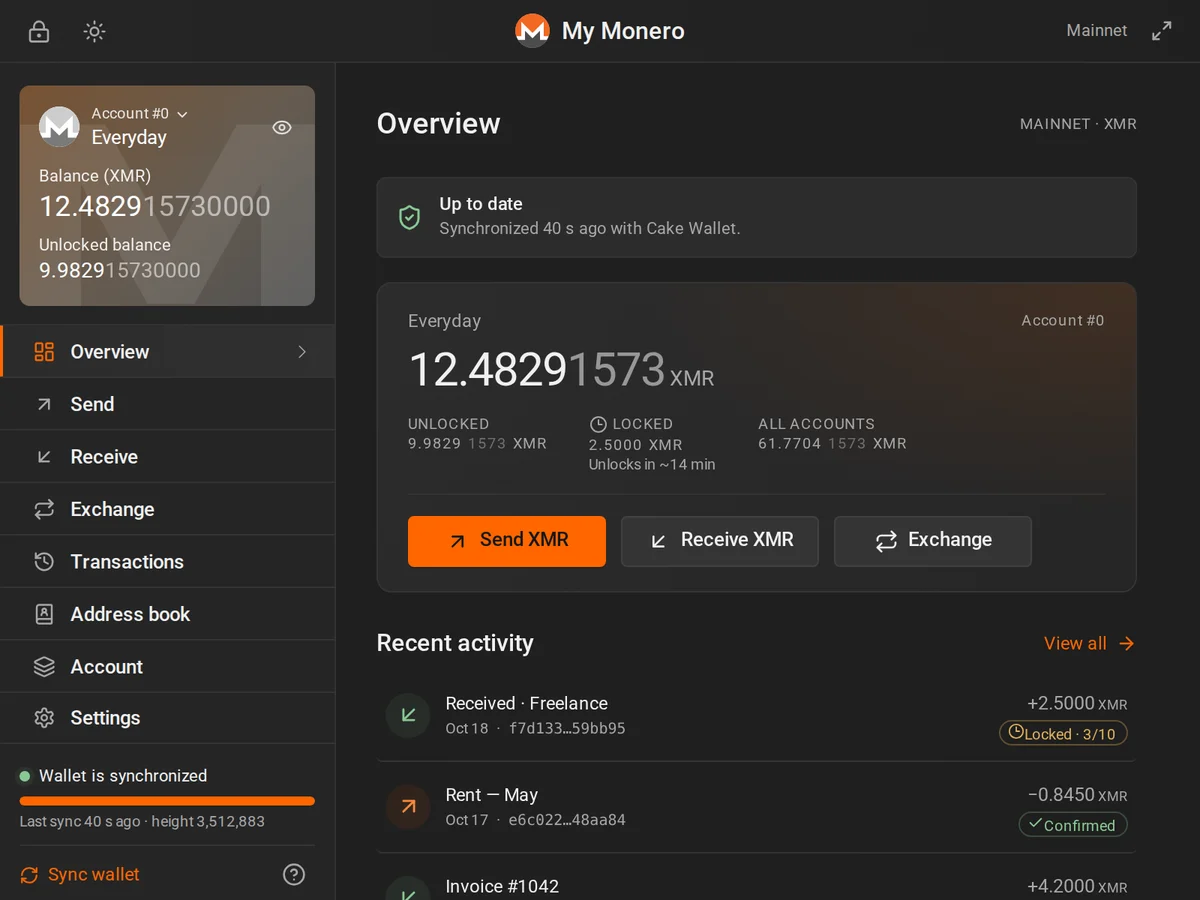
Inspired by the familiar Monero GUI, redesigned for a compact browser popup. Independent software, not an official Monero release.
Monero wallet code, compiled to WebAssembly via monero-ts, creates keys, scans blocks and signs transactions locally.
Your wallet is stored on your device with AES-256-GCM and a password-derived PBKDF2 key. Keep an offline recovery backup.
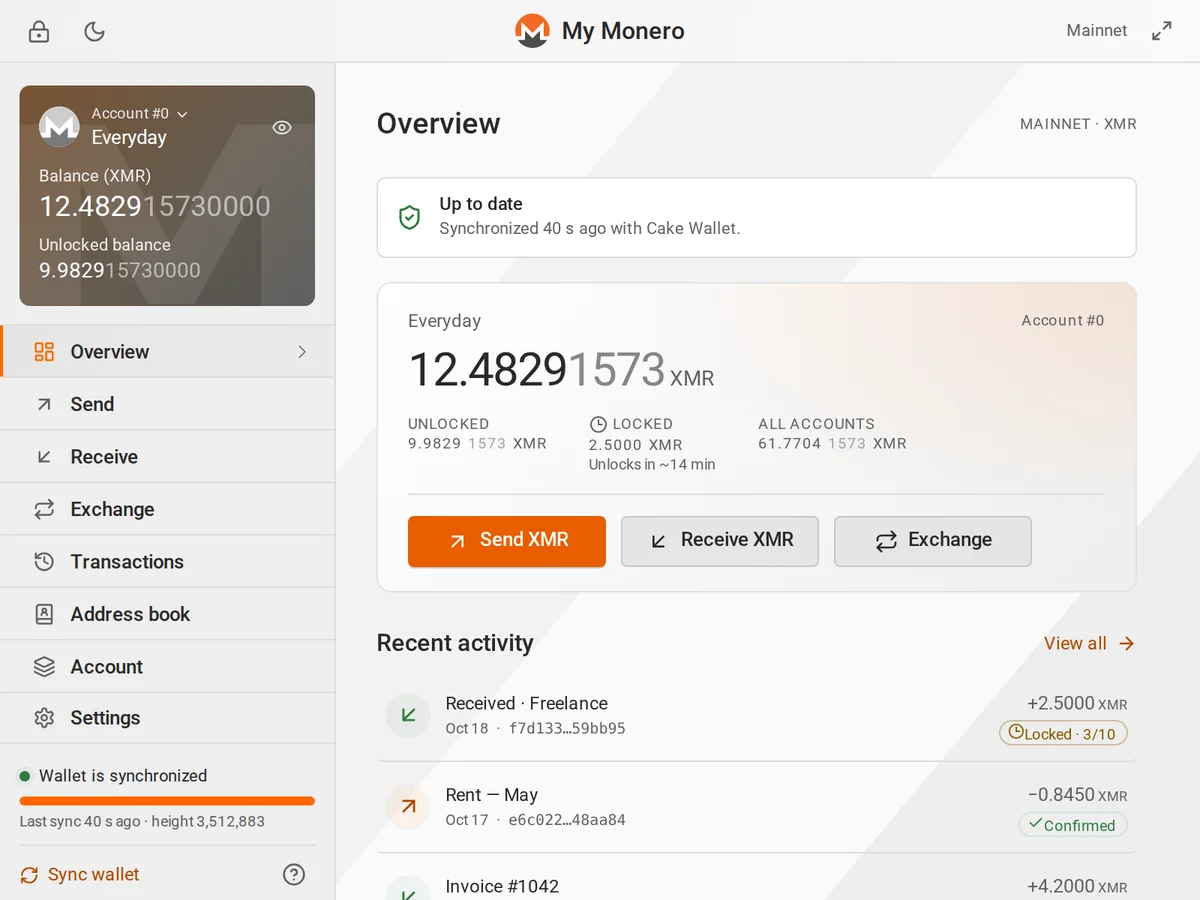
Separate funds into accounts, create a fresh subaddress per payer and see each address balance.
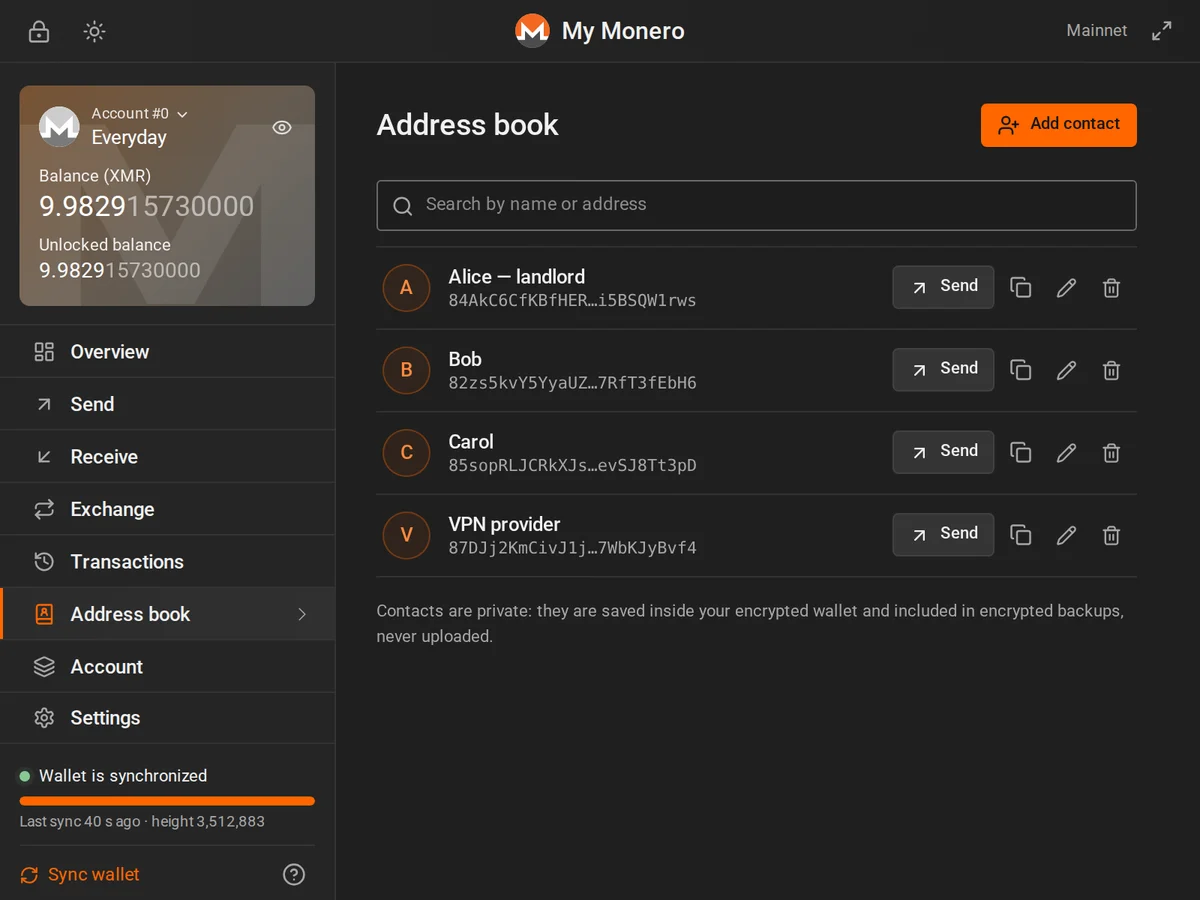
Contacts live inside the encrypted wallet and travel with encrypted backups.
Address checksum checks, monero: payment links, send-max and a full review before broadcast.
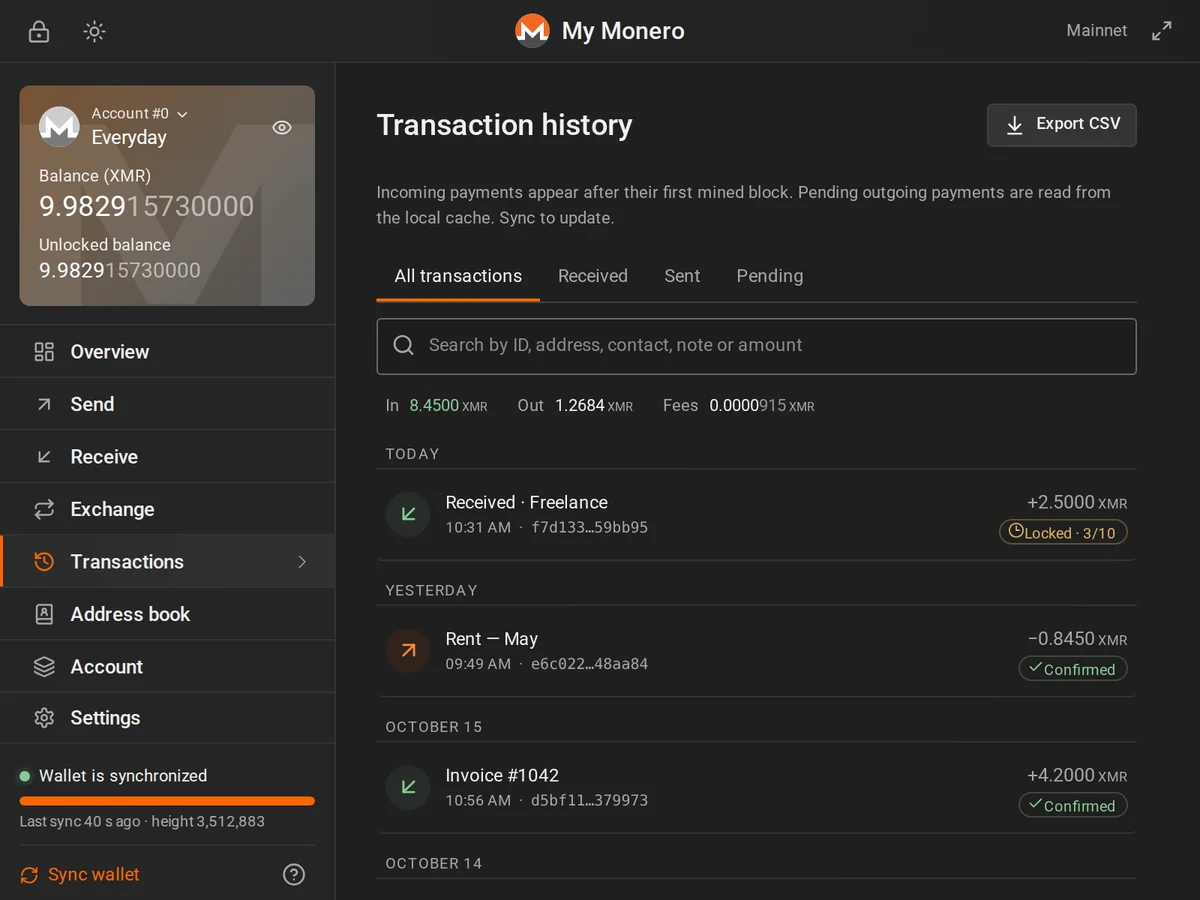
Wallet history, notes and CSV export, plus transaction keys and offline message signing.
Choose a public node or add your own monerod. Practice wallet functions on stagenet or testnet.
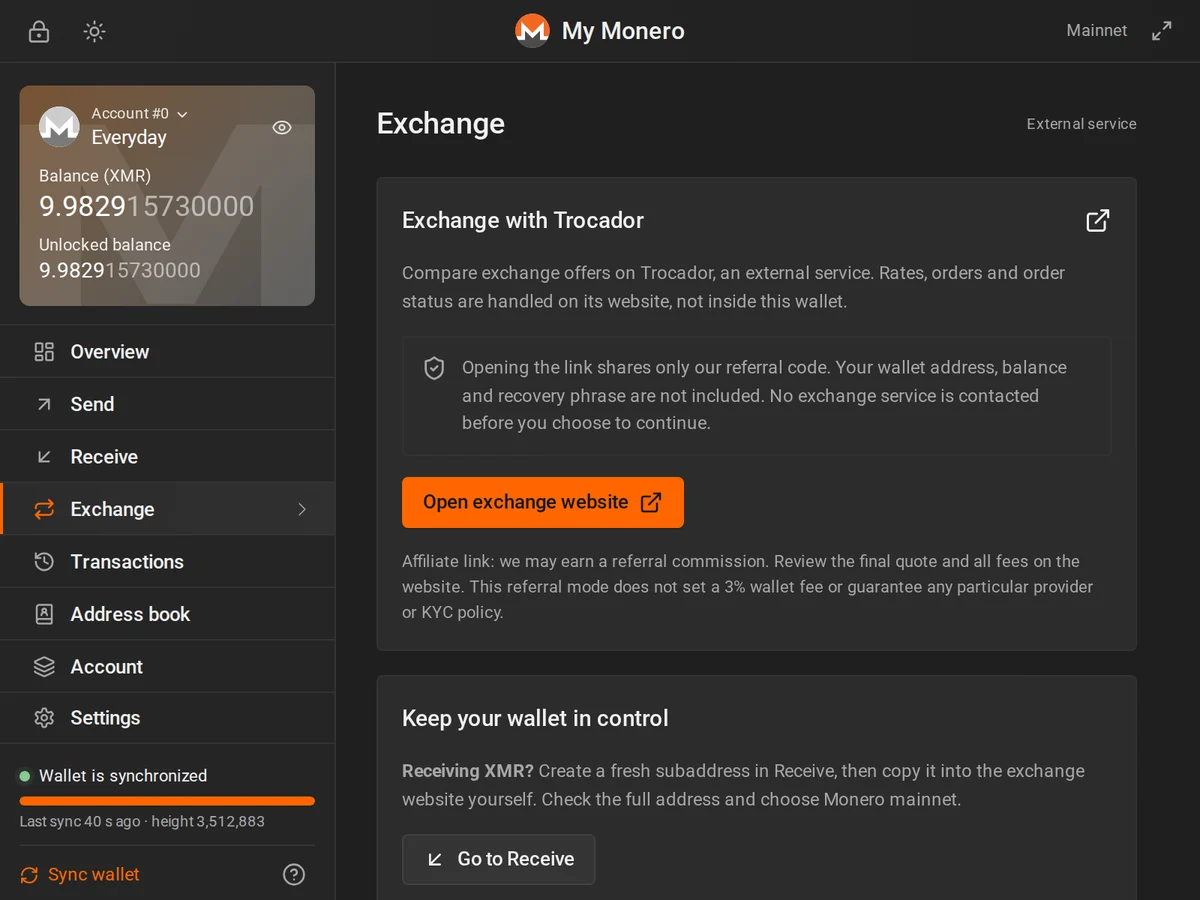
After your consent, open Trocador in a new tab with a referral code. The developer may earn commission. Rates, fees and orders stay on the external site; no wallet data is automatically shared.
Dark and light themes, keyboard navigation and reduced-motion support. Screenshots use illustrative demo data.
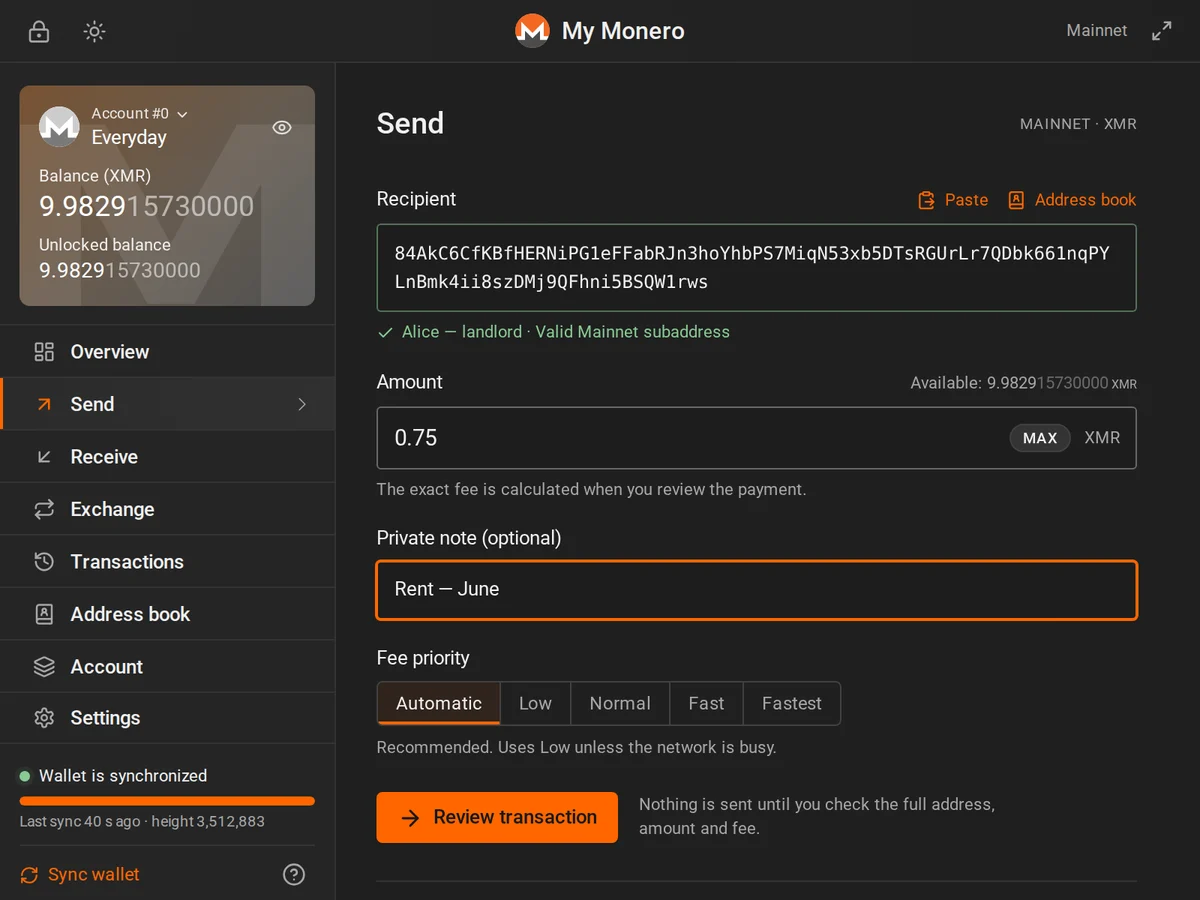
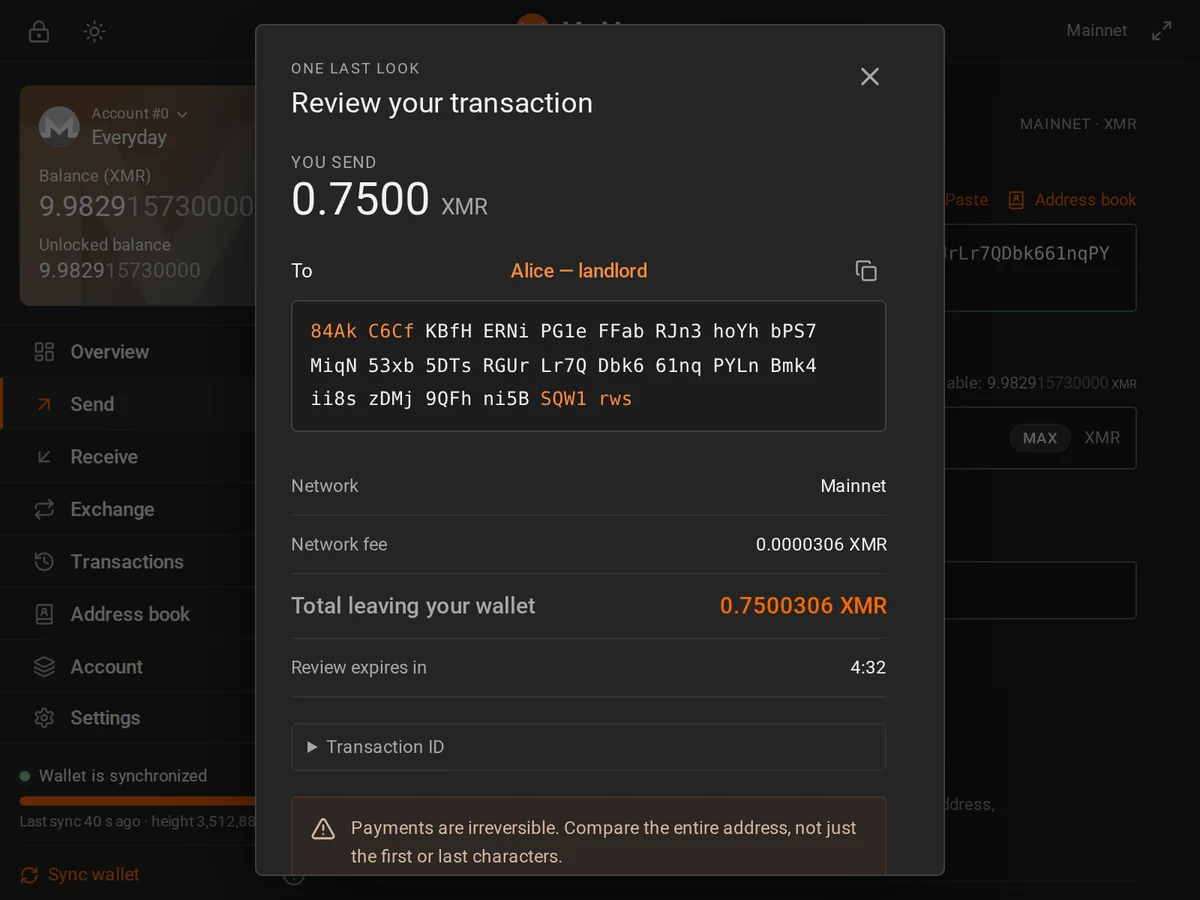
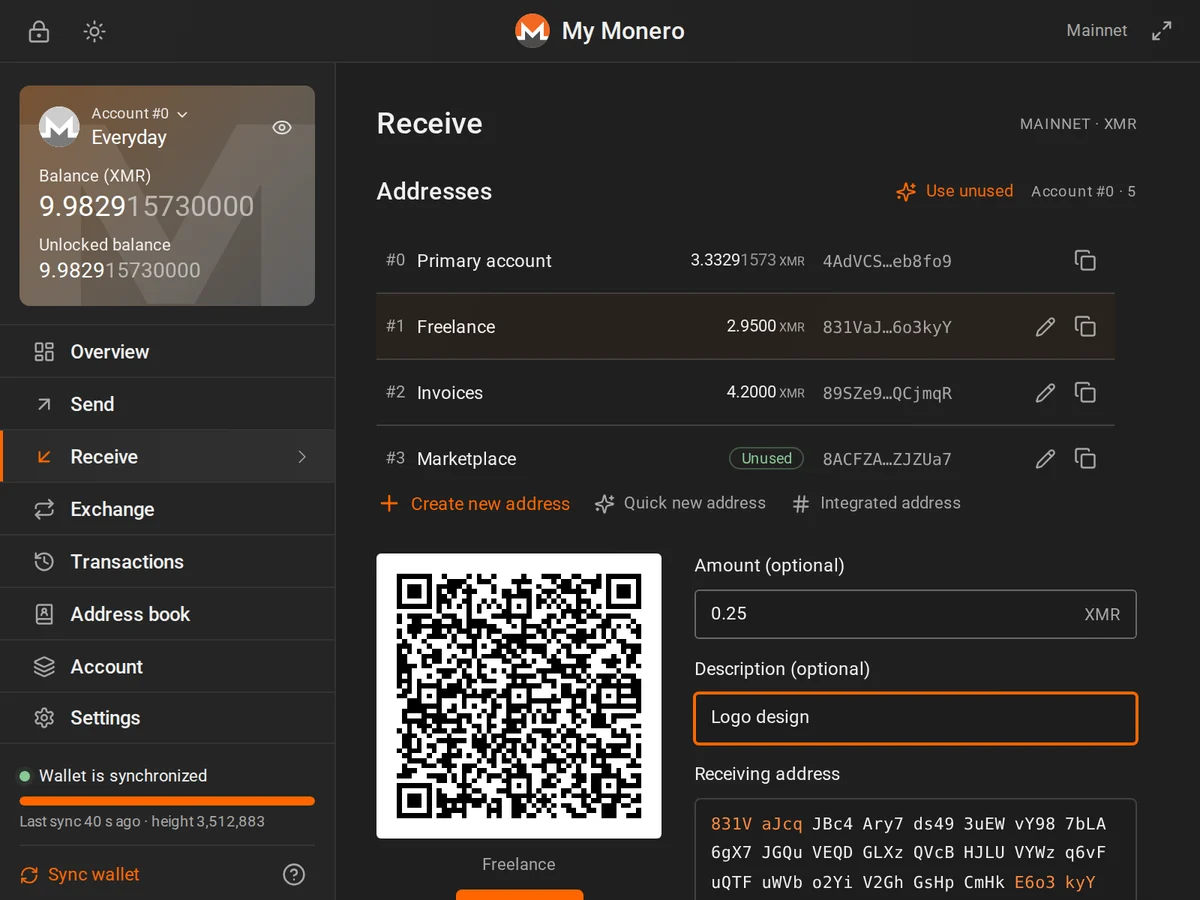
The wallet downloads block data and finds your payments locally. Your private view key stays on your device.
Use the setup page to create a 25-word recovery phrase or restore one. Keep your phrase offline.
Manual checks, node selection and wallet sync require explicit privacy consent and user action. Unlocking does not start sync. Automatic catalog monitoring is separate and always on.
Explicit synchronization downloads blocks and scans them on your device.
Payments are signed locally, shown for review and broadcast only after confirmation. No automatic retries.
Monero hides amounts and recipients on-chain; wallet scanning is local. Separately, an always-on monitor contacts every bundled mainnet, stagenet and testnet node every four hours and shortly after browser startup/install via alarms, even with the popup closed and no wallet. There is no opt-in or toggle. Operators, including the vendor/community-operated XMRtab Node at https://node.monero-tab.com, see your IP and request timing. HTTP is unencrypted.
HTTPS and your own node can improve wallet-request privacy, but selecting your own node does not stop automatic public-node monitoring or its IP exposure. A VPN or properly configured Tor connection can reduce IP exposure, but the wallet has no integrated Tor support.
Keys are used only in the unlocked extension session. Auto-lock defaults to five minutes of inactivity and waits for active operations to finish.
No remote scripts, content scripts or extension telemetry. An external website opened by a link is outside the wallet security boundary.
Review every payment. Drafts expire after five minutes; uncertain broadcasts are never automatically retried.
Independent software without a third-party security audit. Practice on stagenet and keep substantial savings in cold storage.
Install from the Chrome Web Store. Installing enables automatic monitoring of all bundled public nodes, including the vendor node: no opt-in or toggle, even without a wallet. Operators see your IP and request timing; HTTP is unencrypted.
Chrome or a compatible Chromium browser, version 120 or newer.

No. This independent open-source project uses monero-ts and is not affiliated with or endorsed by the Monero Project.
The wallet is self-custodial: keys are created and stored encrypted on your device. The project does not hold your funds. If you separately deposit funds with an exchange provider, that provider controls its deposit, not the wallet.
There is no password reset. Restore from your 25-word recovery phrase, or import an encrypted backup with its password.
Saved wallets can be erased. Keep your recovery phrase offline and an encrypted backup before removing the extension or clearing browser data.
Yes. Add its origin in Settings → Node. Chrome asks for access to that single origin. Use a node and network path you control. The automatic monitor never polls custom nodes, but selecting one does not stop monitoring the bundled public nodes or exposing your IP to their operators.
It sends only a fixed public get_info POST to every bundled catalog node across all three networks, every four hours and shortly after startup/install via browser alarms. There is no opt-in or toggle, and it runs with the popup closed and no wallet. No wallet data, addresses, balances, keys or history are sent, and there is no telemetry collector. Each request has an 8-second timeout and 256 KiB response cap, no retries, omitted cookies/credentials, no redirects, no referrer and no cache. Only each node’s latest status, reported height and check time are stored in chrome.storage.session, cleared on browser restart; no sample histories are kept. It never chooses a node, polls custom nodes, starts sync or wakes the wallet engine, and does not extend auto-lock. Availability is only the latest sample, not continuous uptime, honesty or wallet/network synchronization proof. Browser sleep and alarm delays may leave it stale. Manual checks, selection and wallet sync still require explicit privacy consent and user action.
On a mainnet wallet, open Exchange, read the disclosure and explicitly consent to open Trocador in a separate tab. The URL includes only a referral code, and the developer may earn commission. No wallet address, balance or order amount is automatically shared. The site handles rates, fees, provider selection, orders and status under its own policies. Copy a receiving address from Receive or manually enter the deposit address and amount in Send. The wallet does not validate or track external orders. The link does not set a custom 3% markup, enforce A/B filters or guarantee no KYC; providers may hold funds or require verification, and refunds are not guaranteed. See the Privacy Policy.
No. Hardware wallets, multisig, cold signing and OpenAlias are not supported.
A browser wallet is a hot wallet, and this code is not independently audited. Keep substantial savings in cold storage.